
Log in to app.edu-intelligence.ai -
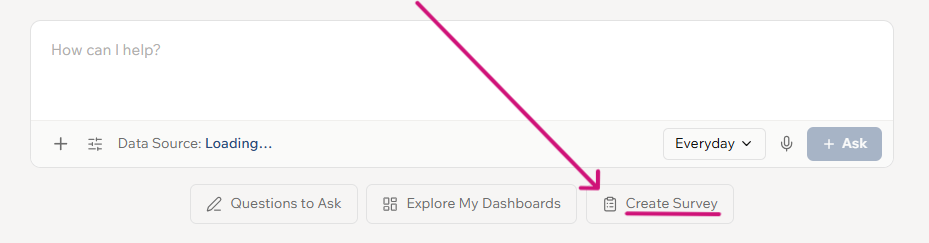
Click on 'Create Survey' underneath the AI conversation box
VIDEO: Quick Start - 2 minute survey (166 seconds)
1. Create Your Survey
- Start from Scratch or Use a Template: Begin with a blank survey or select a pre-made template by topic or name.
- Add Questions (Optional): If needed, add extra questions from the Question Bank. Remember not to edit the core template questions to support national benchmarking.
2. Select Participants
- Choose Who to Invite: Toggle off ‘All Participants’ to select specific groups like Staff, Students, or Parents using filters.
- Check the Count: Confirm the number of participants is correct.
- Save: Click ‘Save and Next’.
3. Customise the Invite
4. Schedule the Launch
- Launch Now: Click ‘Launch Now’, set an end date, and save.
- Schedule for Later: Alternatively, click ‘Schedule’, choose a future launch and end date, and save.
5. Review and Publish
- Click on Review
- Check all details are correct
- Click on Publish