
- Automatic Reminders
- Track Invitations
- Track Participation
- View & Respond to Comments
[Video coming soon]
Automatic Reminders
Our platform helps keep your survey on track.
Participants who have not yet completed their survey will automatically receive reminder emails on days 3, 6, 9, and 12 of the survey window (unless the survey closes earlier).
If you would like to send your own manual reminders, you can!
See guidance here: Survey Reminders
Track Invitations
You can check email delivery, bounces, and invite status directly from your Home-hub.
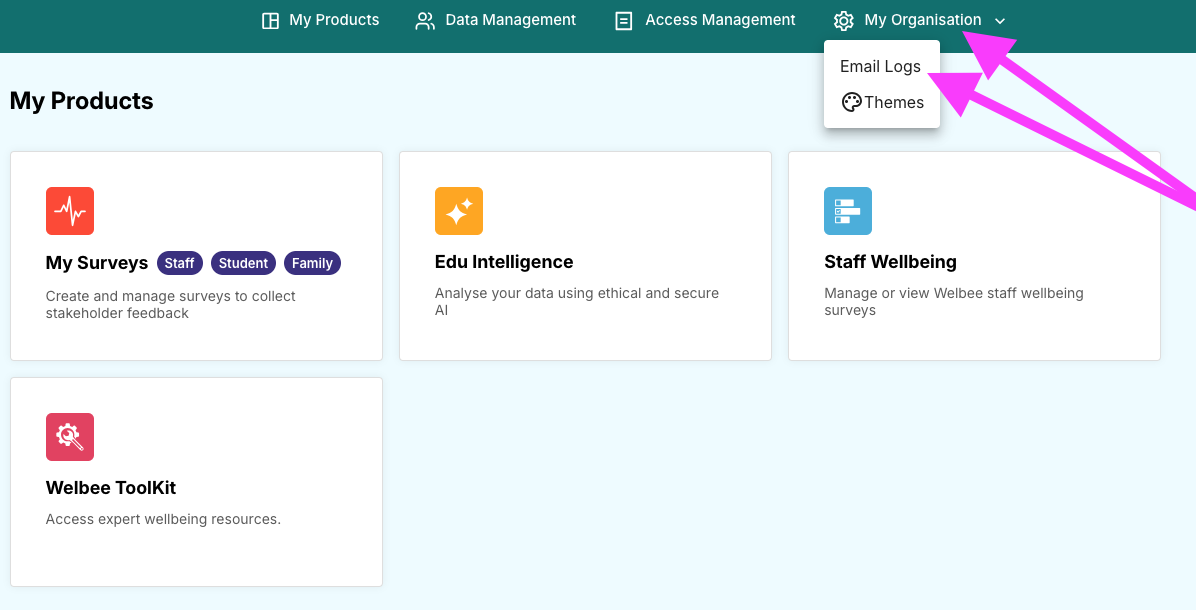
1. Go to: My Organisation
2. Click: Email Logs
Use the filters and date range options to review all invitation activity.
Track Participation
To see who has (and hasn’t) taken part:
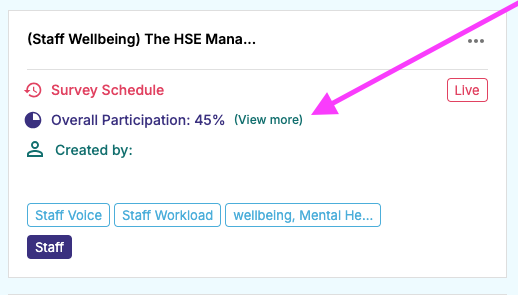
1. Navigate to your live survey
2. Click: View More (next to Overall Participation)
This opens a full breakdown, including:
Participation by school (for MATs)
Participation by job role
Use this information to boost engagement and target specific groups if needed.
View & Respond to Comments
You can monitor and respond to comments in real time.
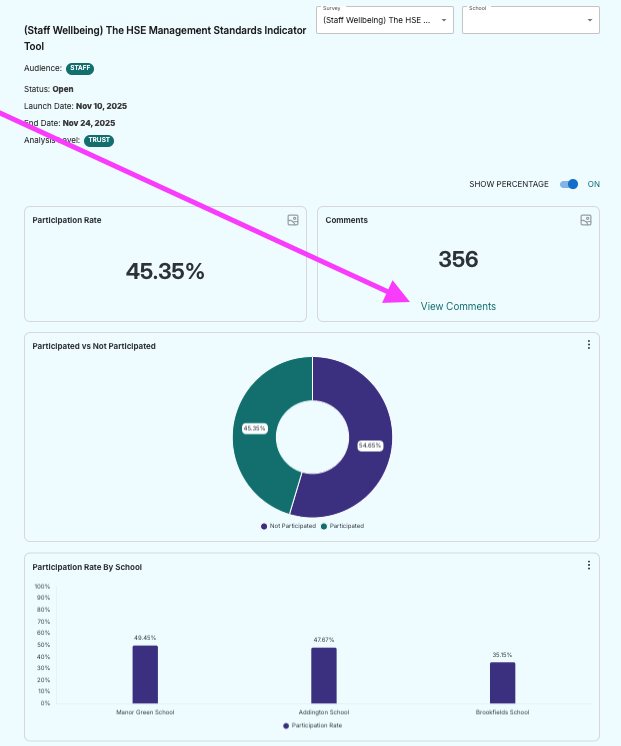
1. Navigate to your live survey
2. Click: View More
3. Select: View Comments
From here you can:
View staff and student comments
Reply directly (staff and student surveys only)
Switch between questions using the dropdown
Create a comment summary